Welcome on your first day at Lemonstar, the best lemon game company in town! We are really excited to have you!
Ideally, I would have given you a tour of the office, but we have some urgent bugs that have come our way.
Your predecessor Revant has left us in a big mess. He built the company's flagship game using an outdated LLM model and the games is a mess.
We need your superior debugging skills to fix the game and get it back on track.
The reputation of Lemonstar is at stake here.
Players and QA have reported seven problems with Lemon Clicker game. They have attached screenshots and recordings to help you understand each of the problems.
Normally, we would want to fix all the bugs, but since we are in a rush for a release, we'd be happy if you fix any five out of the seven bugs at least.
We would be really, really happy if you could solve all the bugs.
Start the Express server (npx tsx watch server/index.ts) and the Vite dev server (npm run dev) in separate terminals, then open the game in your browser.
Find the cause, fix it, confirm the problem is gone, and then create a commit message with the ticket number and a short description of the fix. The bug could be in the frontend, the backend, or between them.
Each ticket already lists the steps to reproduce and the expected result. Use them as an example of what a good bug ticket looks like. For each ticket, document the actual cause and explain how you used hypothesis testing and/or backward tracing to solve it, in a text/markdown file to later discuss with your senior engineers for sign offs. Use this bug report template.
We recommend working in order, but you can choose any five bugs you want to solve. The tickets follow the game from the start screen to the Game Over screen, and fixing them in order makes each next one easier to see.
Once you solve at least five bugs, rush to your senior engineers with your bug fix commits and the bug report to get their sign offs. The sooner you get this done, the sooner we can deploy these changes to production.
Some helpful advice
While trying to recreate the issue in one ticket, you might run into issues caused by other tickets. Find clever ways to recreate each issue in isolation, or prioritize fixing the issue that's blocking you from recreating the current one.
Developer tools and CLI logs will be your best friends when isolating or investigating an issue. For the frontend, check the browser's developer console for logs. For the backend, check the server's CLI logs in the terminal running Express to understand what's going wrong. Feel free to add your own logging statements to help you navigate the issue.
To see what passes between the frontend and the backend, use the Network tab in the developer tools. It shows every request the game sends to the server, its status code and the data that comes back.
Think about the hypothesis testing and backward tracing techniques you learned in lecture. Can you use them for each bug? Sometimes one fits better than the other, and sometimes you'll want both. Be intentional about how you use them.
Ticket 1Start screenReported by a player
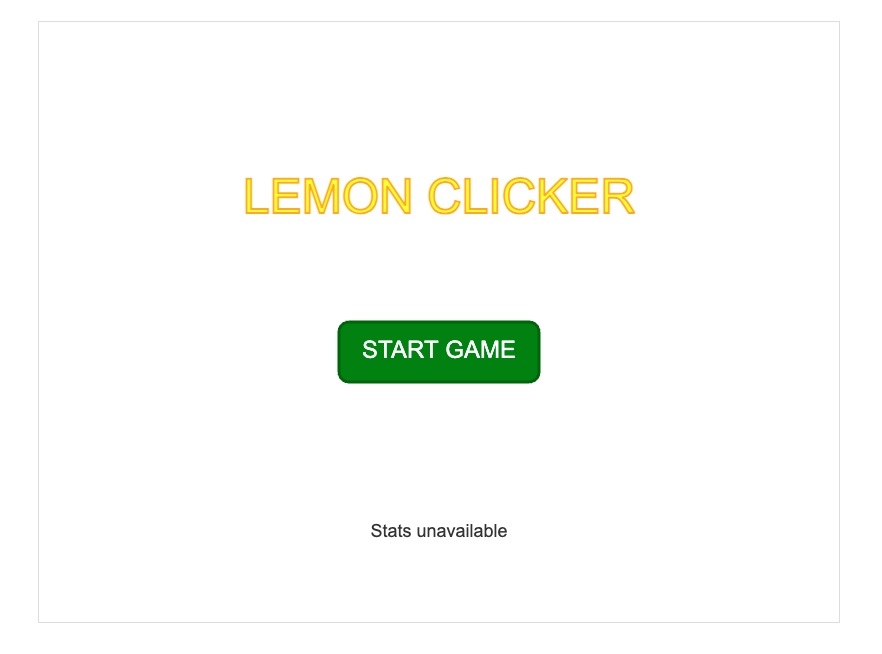
Stats always say "Stats unavailable"
The new stats line at the bottom of the start screen never works. Where
my best score and average should be, it just says "Stats unavailable".
The game itself works fine and the leaderboard on the Game Over screen
shows my scores, but even after playing a few games the start screen
still says "Stats unavailable".
Attached by QA
Screenshot of the start screen.
QA also checked server/leaderboard.json at the same time, which shows a saved score is present:
Replace the contents of server/leaderboard.json with the JSON above (create the file if it doesn't exist).
Start the Express server and the Vite dev server.
Open the game in your browser and look at the stats line at the bottom of the start screen, below START GAME.
Expected result
The stats line shows the best score, the average and the number of saved scores. With the leaderboard.json above, that is Best: 19 Average: 19.0 Scores saved: 1.
Your task: find, fix, document the actual cause, and explain how you used hypothesis testing and/or backward tracing to solve this issue.
Ticket 2Start screenReported by a player
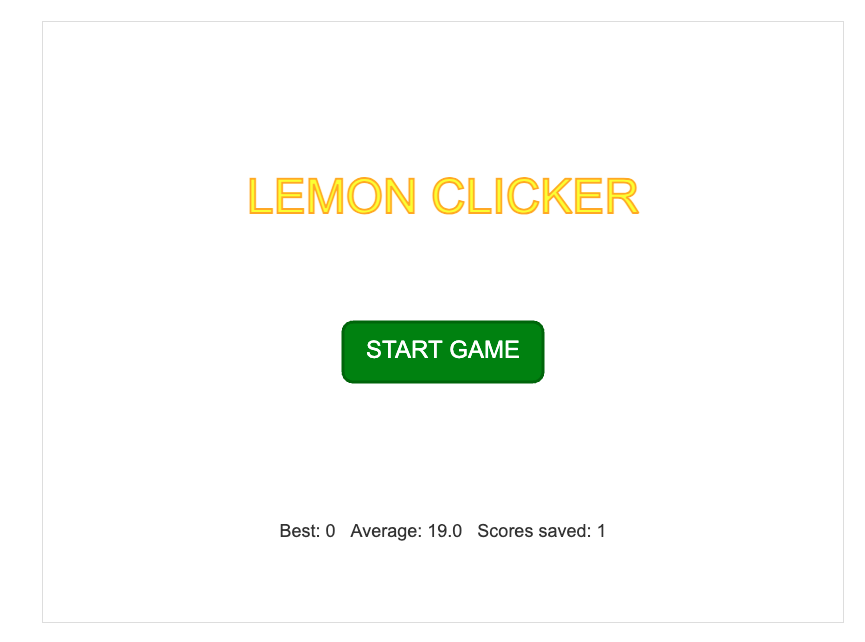
Best score always shows 0
The stats at the bottom of the start screen say my best score is 0, but
I've definitely scored more than that. The leaderboard on the Game Over
screen lists my real scores, and the average looks believable, it's just
"Best" that's always 0.
Attached by QA
Screenshot of the start screen.
QA also checked server/leaderboard.json at the same time, which shows the one saved score is 19, so "Best" should be 19, not 0:
This one is easiest to see once Ticket 1 is resolved.
Steps to reproduce
Replace the contents of server/leaderboard.json with the JSON above (create the file if it doesn't exist).
Start the Express server and the Vite dev server.
Open the game in your browser and look at the stats line at the bottom of the start screen, below START GAME.
Expected result
"Best" equals the highest score saved on the leaderboard. With the leaderboard.json above, that is Best: 19 Average: 19.0 Scores saved: 1.
Your task: find, fix, document the actual cause, and explain how you used hypothesis testing and/or backward tracing to solve this issue.
Ticket 3GameplayReported by a player
The lemon only lands in four spots
The lemon isn't really random. After I click it, it keeps jumping between
the same four spots near the corners, and sometimes it doesn't seem to
move at all. Once you notice, you can just wait in a corner for it to
show up.
Attached by QA
Screen recording of a game in progress.
Steps to reproduce
Start a game.
Click the lemon 10 or more times, noting where it lands each time.
Expected result
After each click the lemon moves to a random position anywhere inside the play area, so its next position is unpredictable.
Your task: find, fix, document the actual cause, and explain how you used hypothesis testing and/or backward tracing to solve this issue.
Ticket 4Game Over screenReported by a player
Stuck on the Game Over screen
When a game ends, the game-over sound keeps replaying every second and
the leaderboard fills up with copies of my score. I can't get out of the
results screen: Play Again shows the menu for a moment and then jumps
right back to "GAME OVER!". If I'm fast enough to hit Start, the game
ends again almost immediately.
Attached by QA
Screen recording after a game ends. Turn your sound on.
Steps to reproduce
Start a game and click the lemon a few times.
Wait for the timer to reach 0 and stay on the Game Over screen for about 5 seconds.
Click Play Again, then quickly click Start.
Expected result
The game-over sound plays once and the score is saved once. Play Again returns to the start screen and stays there, and a new game runs for the full duration.
Your task: find, fix, document the actual cause, and explain how you used hypothesis testing and/or backward tracing to solve this issue.
Ticket 5Game Over screenReported by a player
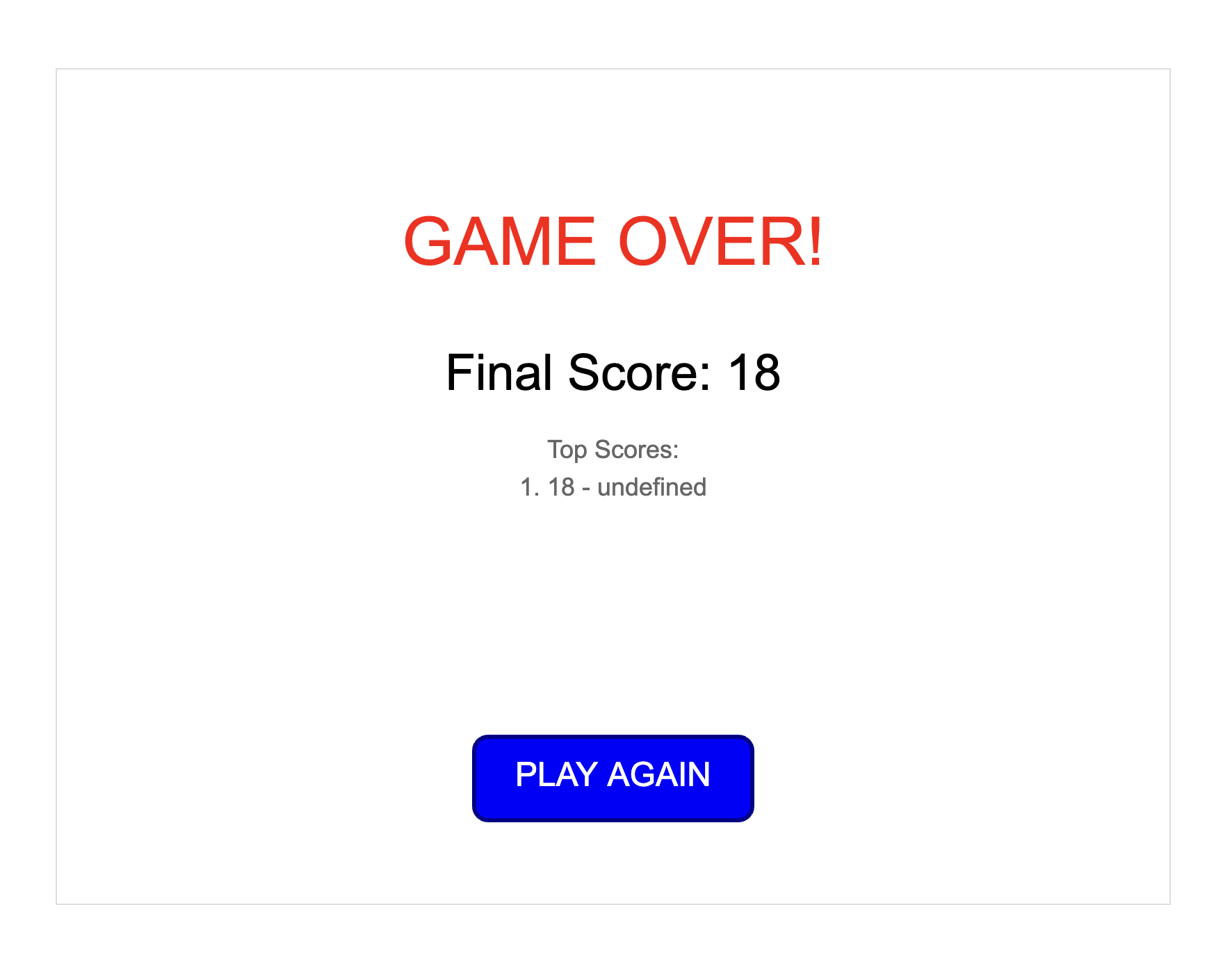
Leaderboard dates show "undefined"
The leaderboard never shows when a score was set. I just finished a game
with 18 points and the "Top Scores" list says 1. 18 - undefined.
The score itself is right, but where the date should be it just says
"undefined". It's like that for every score I've gotten.
Attached by QA
Screenshot of the Game Over screen.
Steps to reproduce
Start the Express server and the Vite dev server.
Play a game and score any number of points.
Look at the "Top Scores" list on the Game Over screen.
Expected result
Each entry shows the score and when it was set, e.g. 1. 18 - 10/25/2026, 8:43:10 PM.
Your task: find, fix, document the actual cause, and explain how you used hypothesis testing and/or backward tracing to solve this issue.
Ticket 6Game Over screenReported by a player
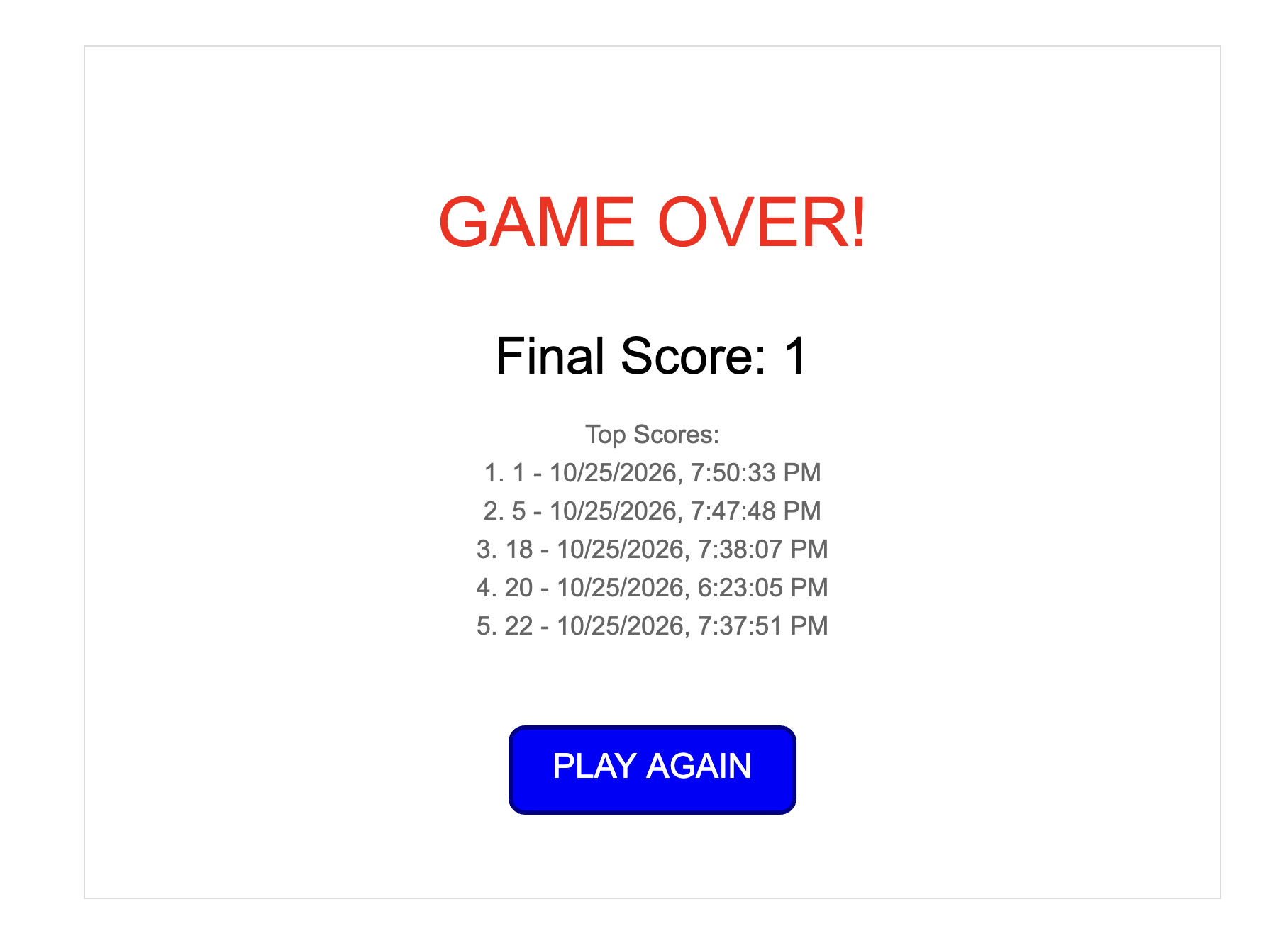
My high score disappeared from the leaderboard
I scored 24 earlier and it was on the leaderboard. Then I played a couple
of bad rounds (5, then 1) and now my 24 is gone. The "Top Scores" list
looks like it's showing the worst scores instead of the best
ones, and my score of 1 is listed as #1.
Attached by QA
Screenshot of the Game Over screen.
Steps to reproduce
Play a few games with a high score (e.g. 20 or more).
Play several more games where you click only a few lemons, so that more than five scores are saved in total.
Look at the "Top Scores" list on the Game Over screen.
Expected result
The list shows the five highest scores, highest first. A high score stays on the list until five higher scores replace it.
Your task: find, fix, document the actual cause, and explain how you used hypothesis testing and/or backward tracing to solve this issue.
Ticket 7Game Over screenReported by QA
Blank screen after resetting the leaderboard
During internal testing we wanted to start from a clean leaderboard, so
we cleared it by opening server/leaderboard.json, deleting
everything in it and saving the file. After that the game is broken.
When the timer runs out the whole screen goes blank and there's no Play
Again button. Refreshing goes back to the start screen, but the next
game ends on a blank screen again.
Attached by QA
Screenshot taken when the timer ran out.
Steps to reproduce
Open server/leaderboard.json, delete all of its contents and save it, so the file still exists but is empty (0 bytes).
Start the Express server and the Vite dev server.
Play a game and wait for the timer to reach 0.
Expected result
An empty leaderboard is treated as "no scores yet". The Game Over screen shows the final score and a leaderboard containing only the new score, and the score is saved to leaderboard.json.
Your task: find, fix, document the actual cause, and explain how you used hypothesis testing and/or backward tracing to solve this issue.